Data Analytics Suite · Code is the source of truth
Language models are very good at writing code. So let them.
Scripts, queries and dashboards are all code, kept as plain text files in the project. A brief that would take a day of clicking becomes a few hundred lines the agent writes, runs, fixes and runs again in minutes.
The agent works fastest and most reliably in code. That's why every computation, every table and every chart in Barrel Brain is a file the agent wrote.
Code is also what makes the work checkable. A chart in a spreadsheet hides how it was made. A script, a query or a dashboard shows every step. It can be reviewed, rerun on new data and reused on the next field.
Scripts · Compute
Short code that you can read
When the agent computes something, it writes a short C# script that reads from the workspace and calls the engineering libraries. You can open it, read it and run it again. The Scripting API Explorer lists the whole surface, so nobody guesses what's available.
DomainDecks, grids, summaries, wells, seismic, studiesEngineeringThe 15 calculation domainsDeliverablesExcel, Word, PowerPointApplicationFiles, processes, terminal
using Team76.Engineering.DCA;

public class S : IAppScript
{
    public ScriptResult Run(IScriptContext ctx)
    {
        // Turn a 15%/yr nominal decline into the
        // rates a forecast uses.
        double nominal = 0.15;

        return ctx.Result()
            .Set("effectiveAnnual",
                 DeclineRateConversions.NominalToEffective(nominal))
            .Set("nominalMonthly",
                 DeclineRateConversions.AnnualToMonthly(nominal));
    }
}
Queries · Analyse
SQL over every file in the project
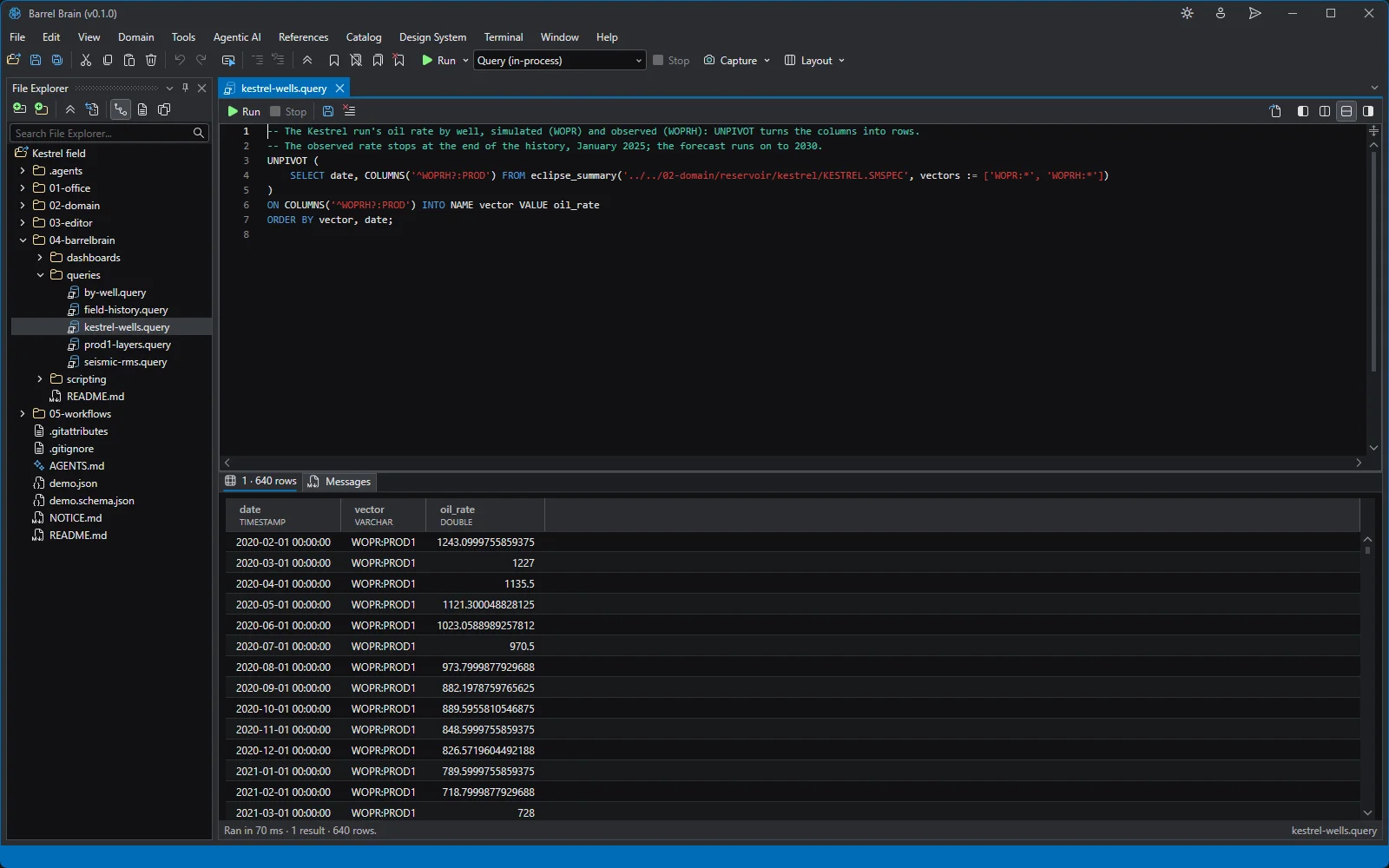
A query treats the workspace as a database. Simulator output, well logs, seismic headers, CSV, Parquet, Excel and SQLite are all tables, and one statement can join them. It's how the agent pulls a hundred cases into one table, and how you check the table it pulled.
eclipse_summaryRates and totals by stepeclipse_gridCell properties from EGRID and INITeclipse_restartPressures and saturations per report stepeclipse_deckKeywords, sections and includeslas · segyLog curves and seismic tracesxlsx · sqlite · csvEverything else in the folder
-- Oil rate per producer, one row per well and date.
UNPIVOT (
    SELECT date, COLUMNS('^WOPR:')
    FROM eclipse_summary('KESTREL.SMSPEC',
                         vectors := ['WOPR:*'])
)
ON COLUMNS('^WOPR:')
INTO NAME vector VALUE oil_rate
ORDER BY vector, date;

-- Join simulator output with a spreadsheet.
SELECT w.well, w.field, sum(p.oil) AS oil
FROM 'production.csv' p
JOIN 'wells.parquet' w USING (well)
GROUP BY ALL ORDER BY oil DESC;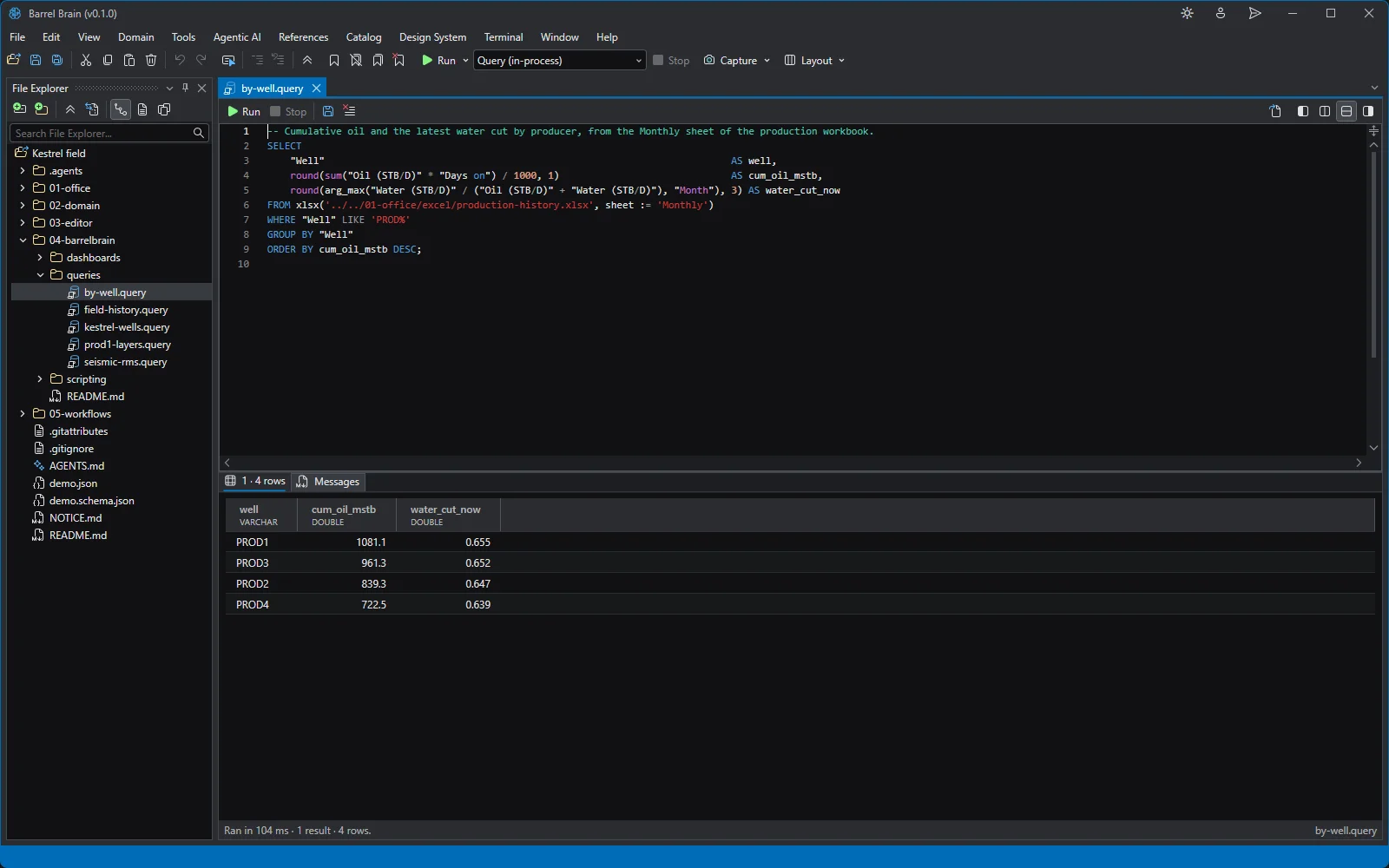
Dashboards · Communicate
Results that stay current when the data changes
A dashboard is a page of sections, sliders, pickers, tables and charts, fed by queries, scripts and workspace files. When a file it read changes, for example after a new simulation run, it renders again. What you show your team is never a stale screenshot.
DataQueries, scripts and files as table sourcesPickersWell, vector and file pickers bound to the dataTable · ChartBound to the same dataOfficeWord reports, PowerPoint decks, Excel workbooks
<Section Title="Decline">
  <Slider Label="Initial rate" @bind-Value="Qi"
          Min="100" Max="2000" Unit="bbl/d" />
  <Slider Label="Decline" @bind-Value="D"
          Min="0.05" Max="0.5" Unit="1/yr" />
</Section>

<Section Title="Forecast">
  <Table Rows="Rows" Columns="Year, Rate:bbl/d" />
</Section>

@code {
  double Qi = 1000, D = 0.2;
  record Row(int Year, double Rate);

  // Exponential decline: q(t) = qi · exp(−D t)
  IReadOnlyList<Row> Rows => Enumerable.Range(0, 6)
    .Select(t => new Row(t, Qi * Math.Exp(-D * t)))
    .ToList();
}
Keep the tools you have
Python, IPM and your simulators, beside the C#
Python
If Python is installed, the agent writes and runs Python in the built-in terminal, so your team's scripts and packages keep working.
Petroleum Experts IPM
Scripts can drive PROSPER, GAP, MBAL, PVTp and REVEAL through OpenServer.
Any command-line simulator
Eclipse or OPM Flow run from a launch profile. The agent queues the runs, watches them and reads the results.
Fair question
What people ask about the code
“Our engineers don't write code.”
They don't have to. The agent writes the code, and engineers read results in viewers.
The code is there so the work can be checked and repeated, not so engineers have to type it. Most people will never open a script. The one who wants to know how a number was made can open it, read it and rerun it.