Barrel Brain · a desktop workbench for petroleum engineers
AI-Assisted Petroleum Engineering Environment
You direct the engineering. The agent does the work.
Hand the agent a job the way you would brief a junior engineer. It builds the model, runs the cases, does the analysis and drafts the report. You stay at the level of the whole project: how the pieces fit, what the result means, and whether it's right.
How you talk to it
Give it a job, not a calculation
You write a brief, the kind you would write to a colleague. The agent breaks it into steps and does them.
“The raw data for the field is in this folder. Build me a reservoir model, run a sensitivity study on the main uncertainties, and write me a short report with the key findings.”
grid builder · Eclipse deck · .STUDY sampling · simulator runs · Word report
“Here is the production data for the field. Do decline-curve analysis for each well, aggregate the forecasts by field, and give me P10, P50 and P90 remaining reserves.”
data cleaning · 12 decline models · AIC/BIC model selection · Monte Carlo
“These are the PVT lab reports. Tune an equation of state to the CCE and DLE data, put the PVT tables into the deck, and tell me where the match is weakest.”
EoS regression · lab-test simulation · black-oil table export to Eclipse
“Screen this reservoir for EOR. Compare polymer, chemical, CO₂ and steam, rank them, and explain what rules each one out.”
EOR screening · MMP · fractional flow · Marx–Langenheim · Koval sweep
“Interpret the latest buildup tests. Flag the wells that see a boundary, and update permeability and skin in the model where the tests disagree with it.”
PTA models · Bourdet derivative · boundary catalog · regression · deck edits
“Our producers are going onto lift next year. Size an ESP for each well against its inflow, compare it with gas lift, and put the comparison in a deck for Thursday.”
IPR · multiphase VFP · ESP design · gas-lift valves · PowerPoint
Not: “Calculate the bubble-point pressure.” That's one function call, and the agent does hundreds of those
on the way to an answer.
Who does what
You keep the judgement. The agent takes the legwork.
You
Own the project and the judgement
- Set the direction and say what matters
- See how the model, the analysis and the report fit together
- Check the results in the viewers
- Decide what goes in front of management
The agent
Does the small, tedious work, at scale
- Reads, cleans and reconciles the raw data
- Builds and edits decks, runs the simulator, collects the cases
- Fits hundreds of wells, writes the queries, builds the tables
- Drafts the dashboard, the report and the slides
How the pieces fit
Data and model
Workspace
The project folder: decks, grids, results, logs, spreadsheets.
.DATA .EGRID .SMSPEC .las
Compute
Scripts
C# that calls the engineering libraries.
.script
Analyse
Queries
SQL across simulator output, logs and spreadsheets.
.query
Communicate
Dashboards and reports
Live pages, Word, PowerPoint.
.dashboard .docx .pptx
The core
Petroleum-engineering libraries across the whole domain
This is the difference between Barrel Brain and a coding IDE with a chatbot. The agent doesn't make up its own engineering. It calls documented, tested, unit-aware calculation libraries that cover the reservoir, the well and the surface.
An answer built from them traces to a named method: Havlena–Odeh, Beggs & Brill, Peng–Robinson, Marx–Langenheim.
- 1,700+
- public calculation functions
- 15
- engineering domains
- 12
- decline models with robust fitting
- 10
- multiphase-flow correlations
Fluids and rock
Black-oil PVT · Equation of state · Rock and SCAL
Reservoir performance
Material balance · Decline curves · RTA · PTA · Uncertainty
Wells and surface
Inflow · Wellbore flow · Artificial lift · Fracturing · Facilities · Flow assurance
Enhanced recovery
Polymer · Chemical and ASP · CO₂ · Thermal
Simulation and subsurface
Eclipse decks and grids · Studies · LAS and SEG-Y
One set of libraries, used everywhere. Your script, the agent's script and the dashboard all call the same functions, so the same inputs give the same answer wherever the calculation runs.
The workbench
Four parts, one project folder
Agentic
Agentic Harness
Not an app with a chatbot. An agent harness for petroleum engineering, with 200+ tools, skills and orchestration for long jobs.
Explore Agentic Harness →
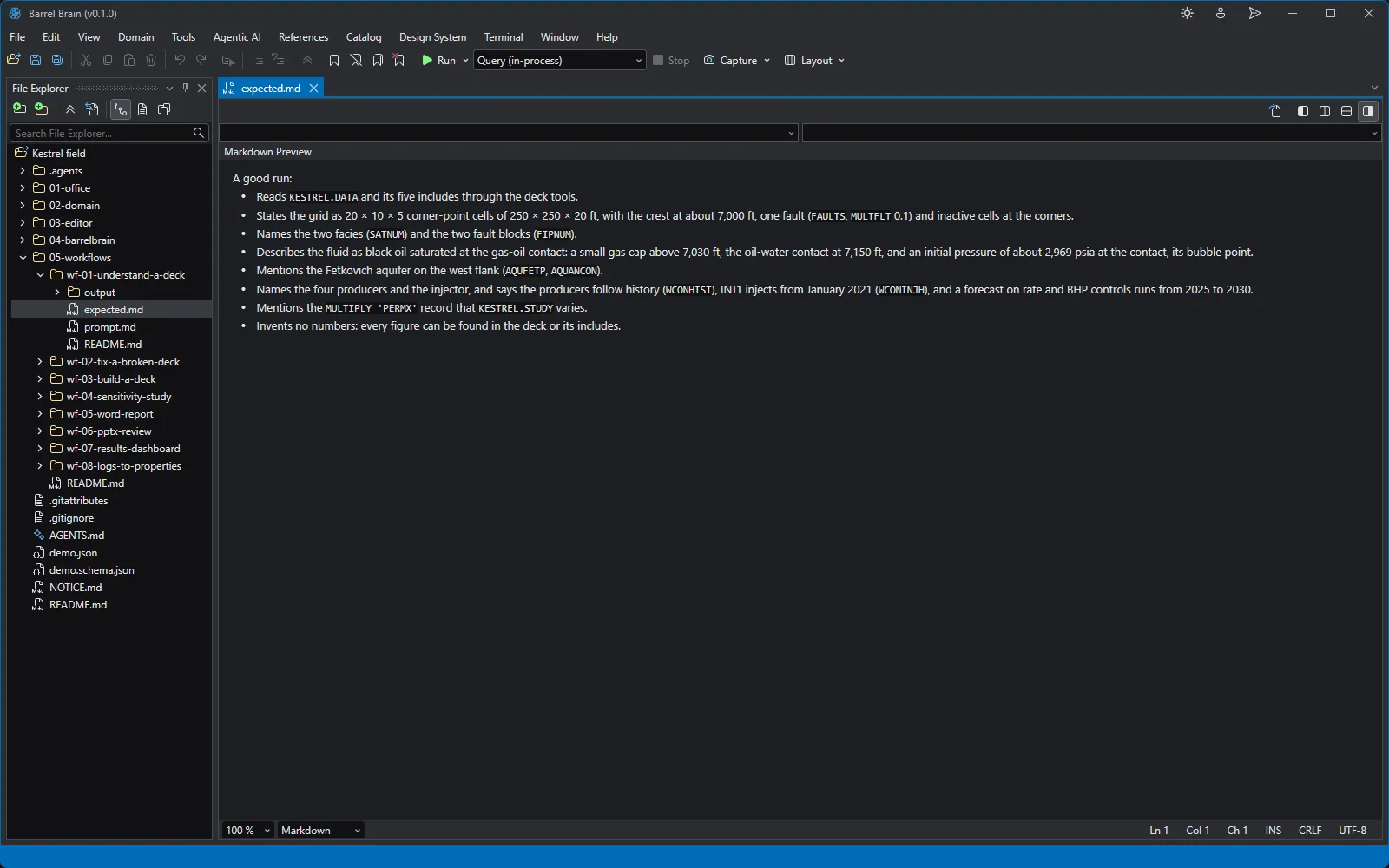
Deliverables
Office Productivity Suite
Excel, Word and PowerPoint, written by the agent from the same tables and charts you checked.
Explore Office Productivity Suite →
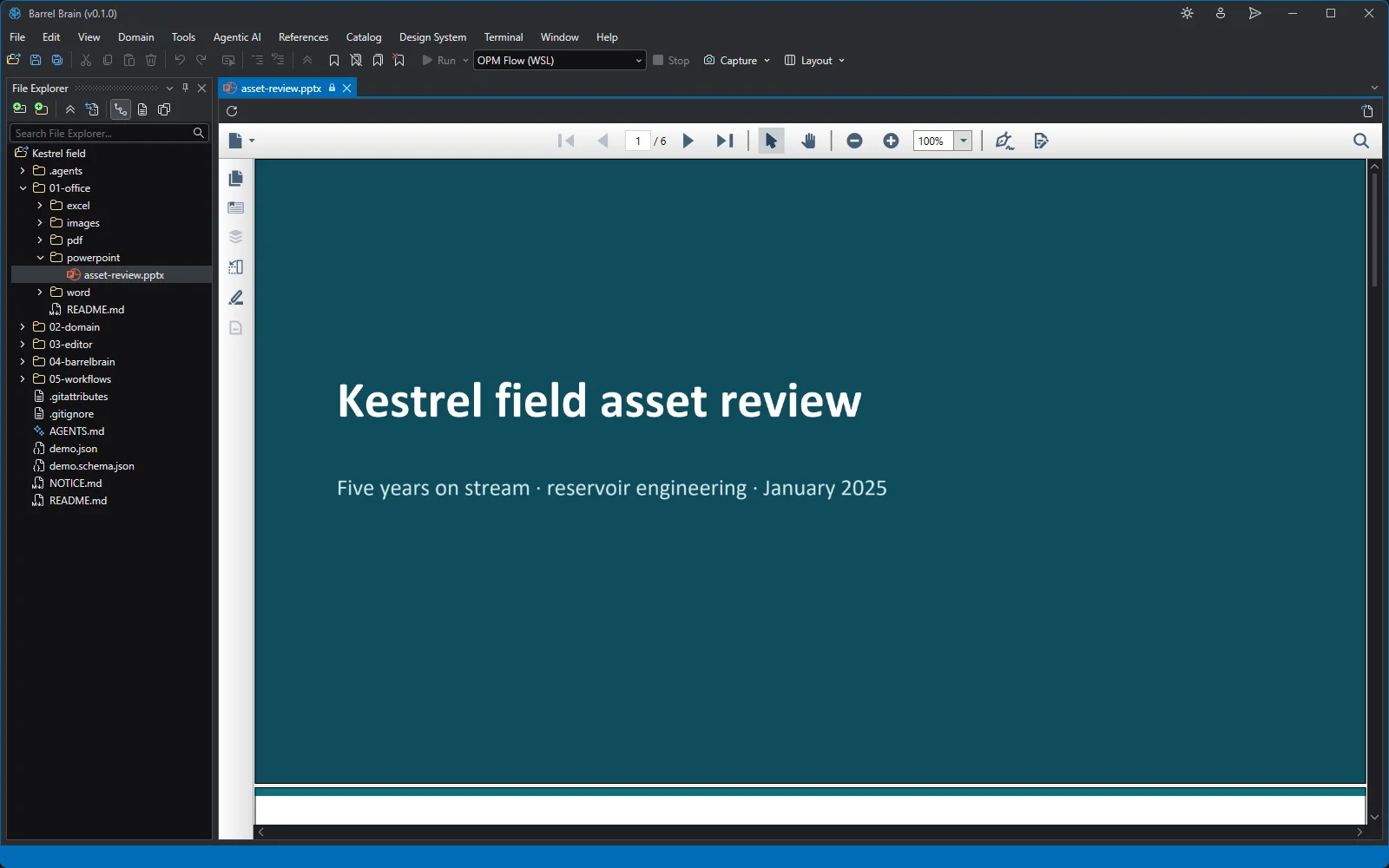
Code is the source of truth
Data Analytics Suite
Scripts, SQL queries and live dashboards: code you can read, rerun on new data and reuse on the next field.
Explore Data Analytics Suite →
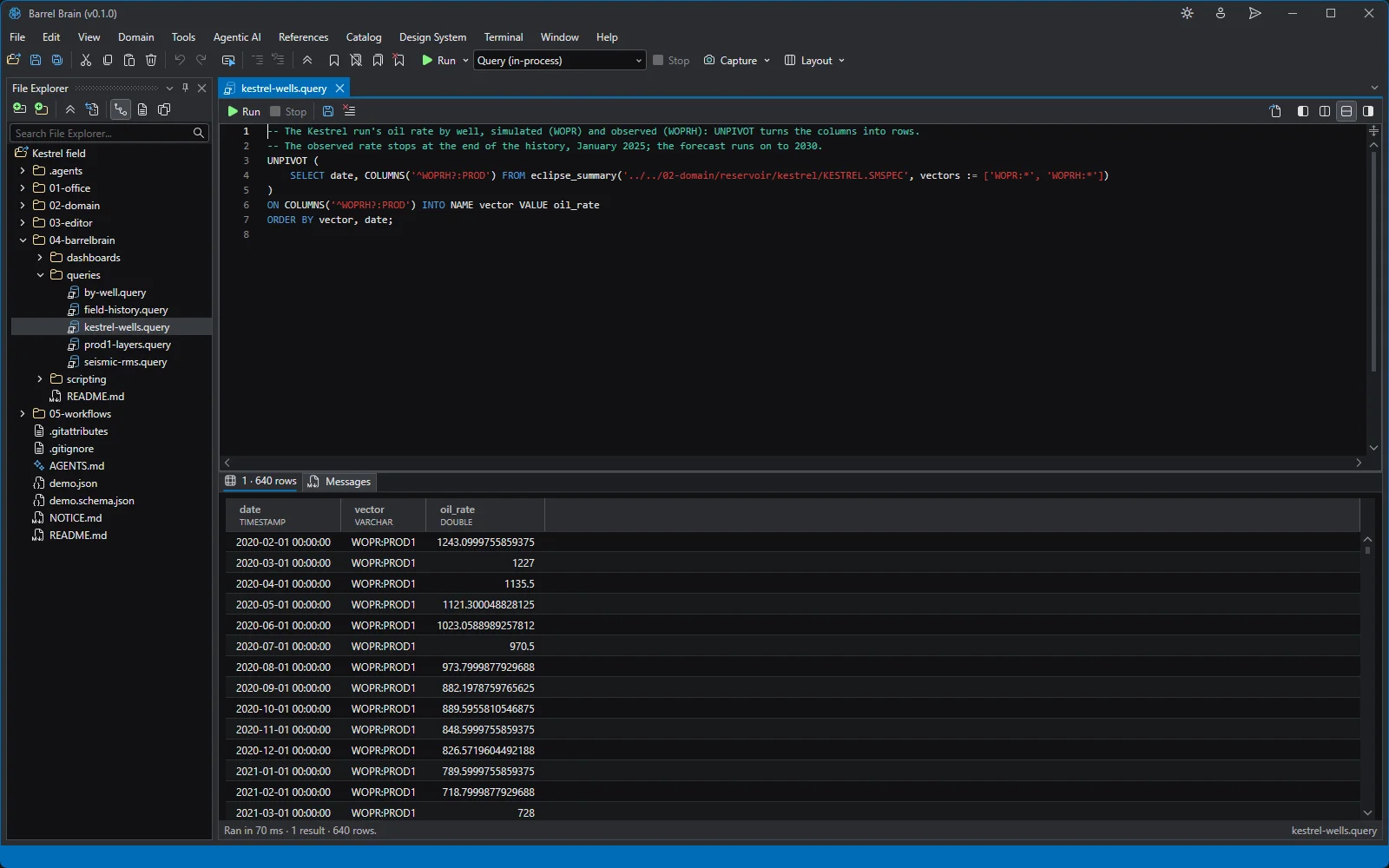
Domain
Reservoir Simulation
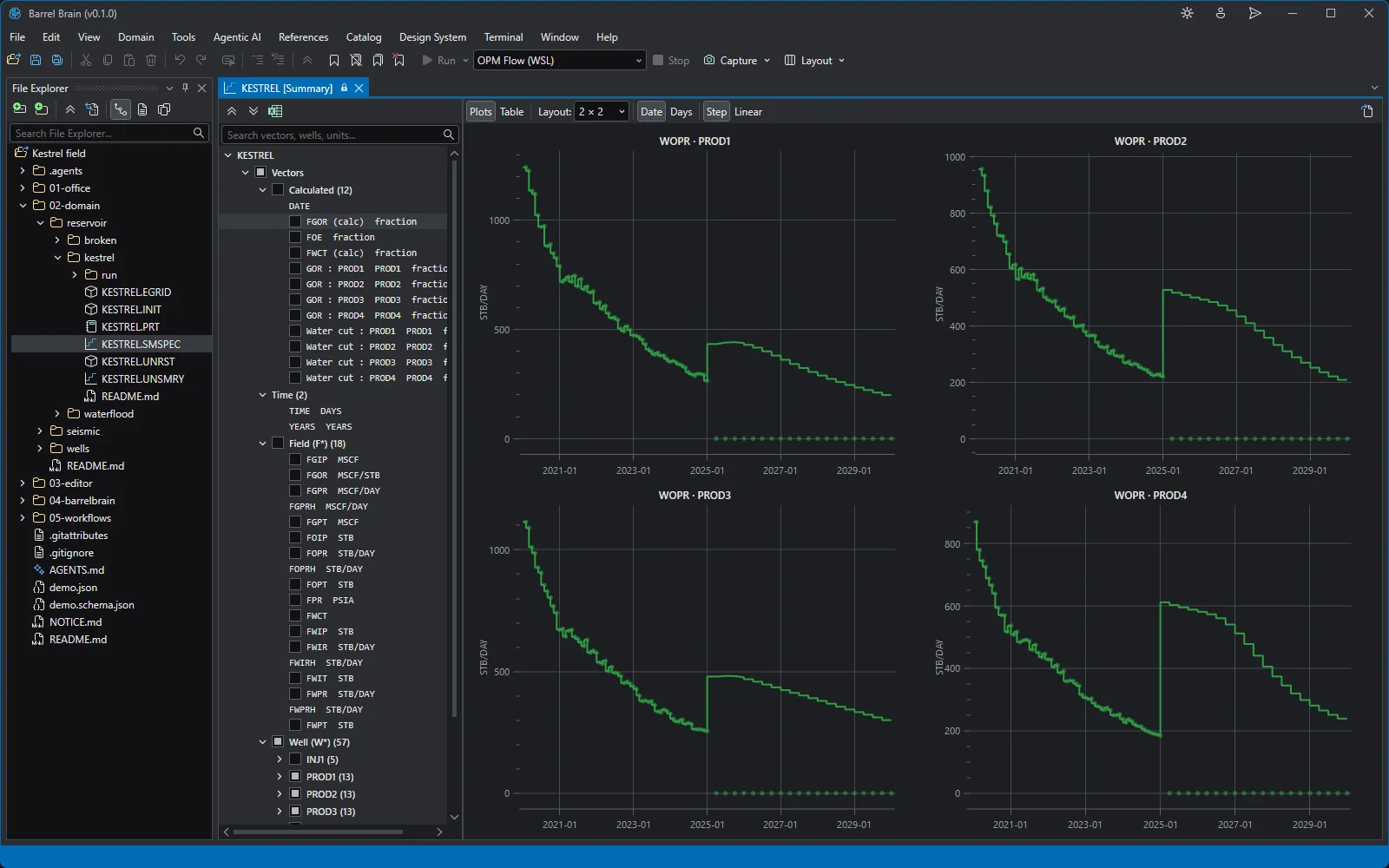
Decks, grids, studies and results, with viewers built to answer “will it run?” and “does it match history?”
Explore Reservoir Simulation →
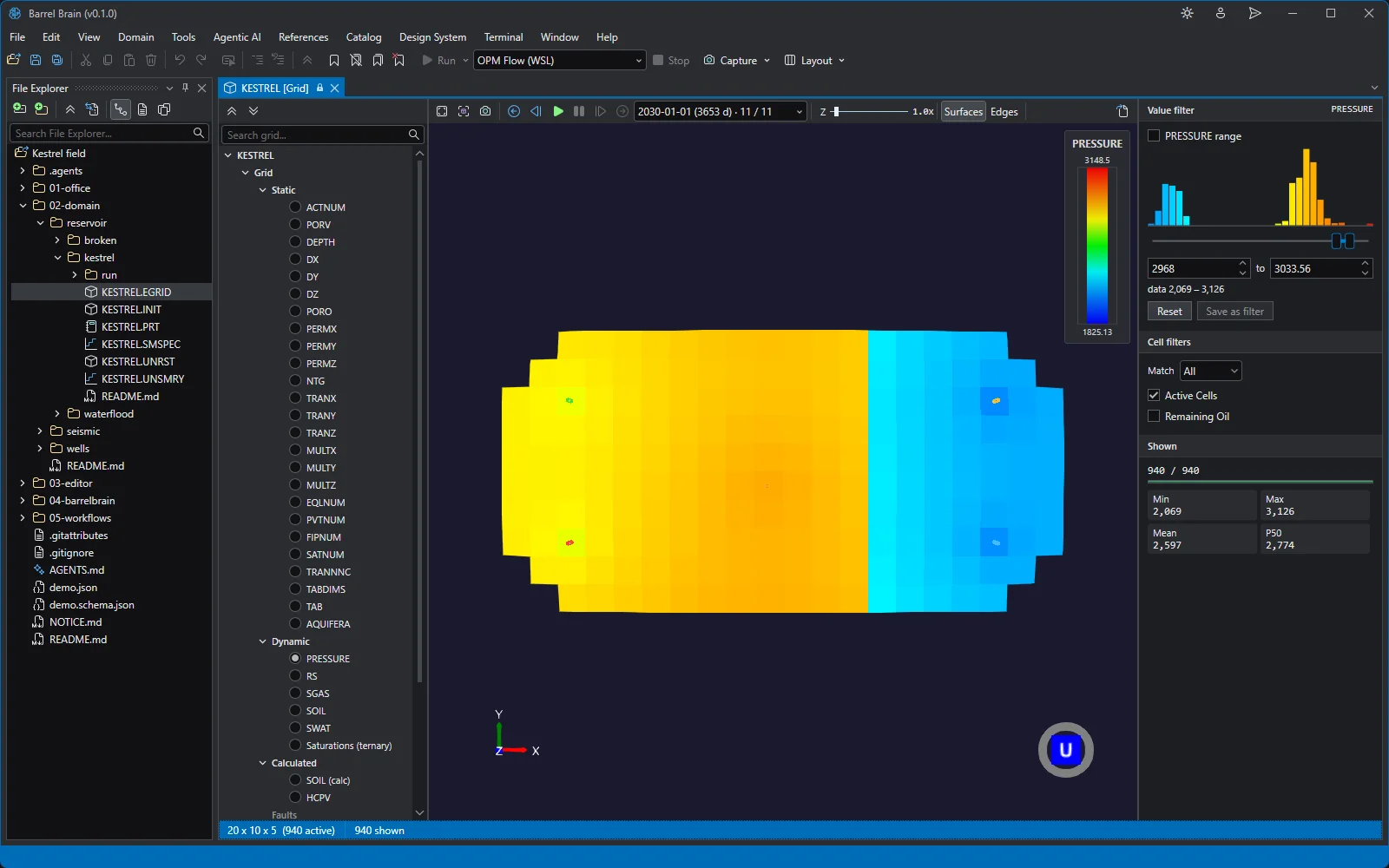
One brief, end to end
From raw data to a report you can defend
“The raw data for the field is in this folder. Build me a reservoir model, run a sensitivity study on the main uncertainties, and write me a short report with the key findings.”
The agent does the steps. You check the parts that matter, at the points where they matter.
- 1
Agent
Builds the model
Reads the raw data, builds the grid and writes the deck. The Error List is clean before anything runs.
- 2
You check
The model in 3D
Porosity, permeability and saturations look geologically sensible.
- 3
Agent
Sets up and runs the study
A .STUDY file names the uncertain parameters and their ranges, samples the cases and runs them all.
- 4
Agent
Analyses the cases
Queries pull every case into one table. A tornado ranks the parameters that move recovery the most.
- 5
You check
The tornado against the cases
Open the summary plots for the extreme cases and the query behind the table.
- 6
Agent
Writes the report
A short Word report with the key findings, built from the same tables and charts you checked.
What holds it together
Three rules behind every piece
Files, not a database
The project is a folder you already own. Every step leaves a file, and git works on all of it.
Real engineering, not made-up maths
Every calculation goes through the engineering libraries, so each number traces to a named, tested method.
Nothing you can't check
Whoever did the work, the result opens in a viewer built for inspecting it, alongside the data it came from.
Where this is going
Ready for air-tight agentic work
A lot of subsurface data can never leave the building. Barrel Brain is designed so that, once a local model is good enough, the whole agent runs inside the firewall, down to a single workstation with no network at all.
Today
Frontier models
through the provider you choose
Next · roadmap
On-premise models
on your own servers
Then · roadmap
On the workstation
fully air-gapped
Why smaller models matter. The model inside your firewall will be smaller than today's frontier model. So Barrel Brain ships its grounding with the app: the reference manuals, the examples and the skills that let a less capable model take the direct route.
Fair questions
What managers and IT ask first
“Is this going to replace my engineers?”
It replaces the tedious part of their week, not their judgement.
The whole design puts the engineer on top: they set the direction, check the work and decide what goes forward. The agent does the data cleaning, the hundred decline fits, the case runs and the first draft. A team gets through more fields and more scenarios in the same time, and each engineer spends that time on decisions.
“How do we know what the agent did on a machine?”
Every session is on the record.
A session records which model, tools, skills and instructions it ran with, and lists every file it created or edited. Changes show as a diff. Because the project is a folder, it can sit in git like any other work.
“Why a desktop app and not a web app?”
Because the data, the simulator and the large result files are on the workstation, and because the future is air-gapped.
Simulation results run to gigabytes and sit next to the simulator. A desktop app opens them where they are, with no upload. The same choice is what lets the agent eventually run with no network at all.
Bring a real model, not a sample
Barrel Brain is in early access. Join the waitlist, and when your turn comes, put the agent to work on your own field.